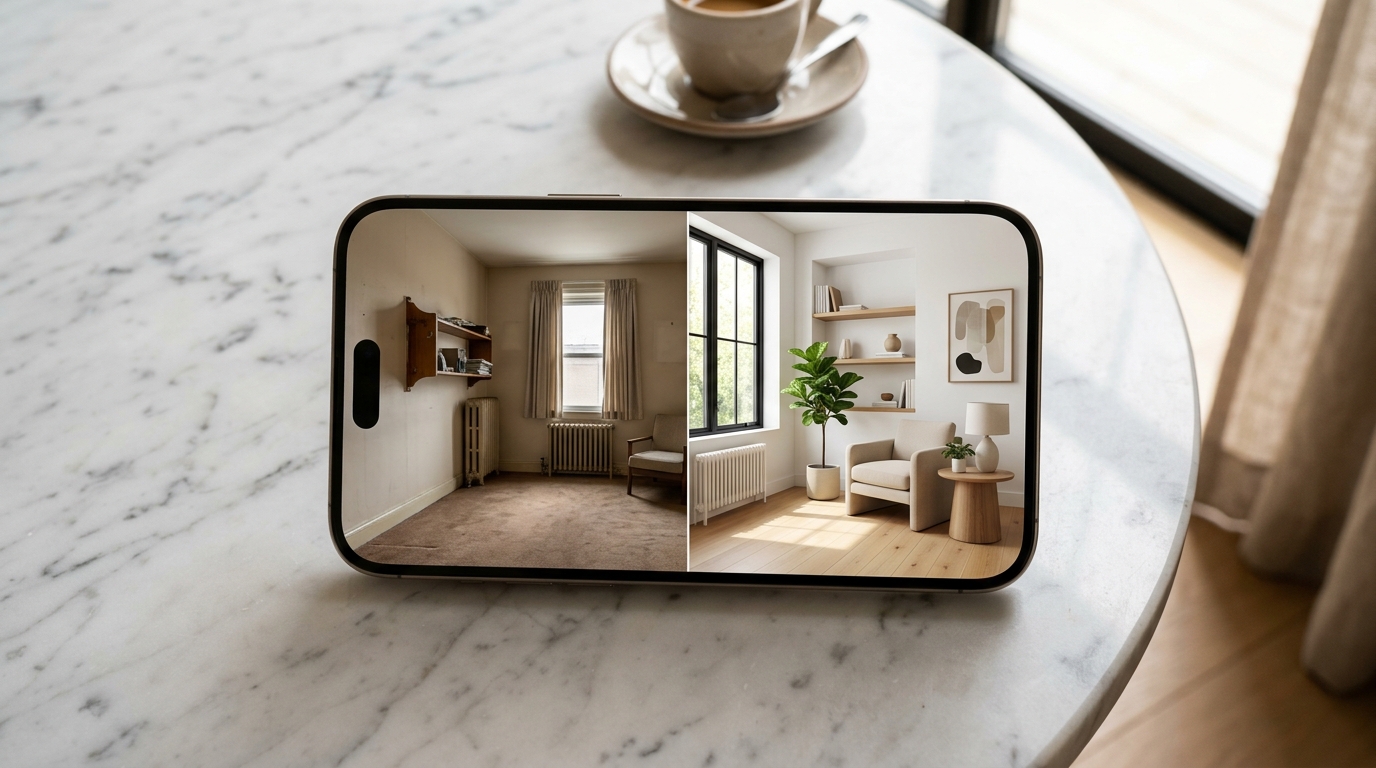
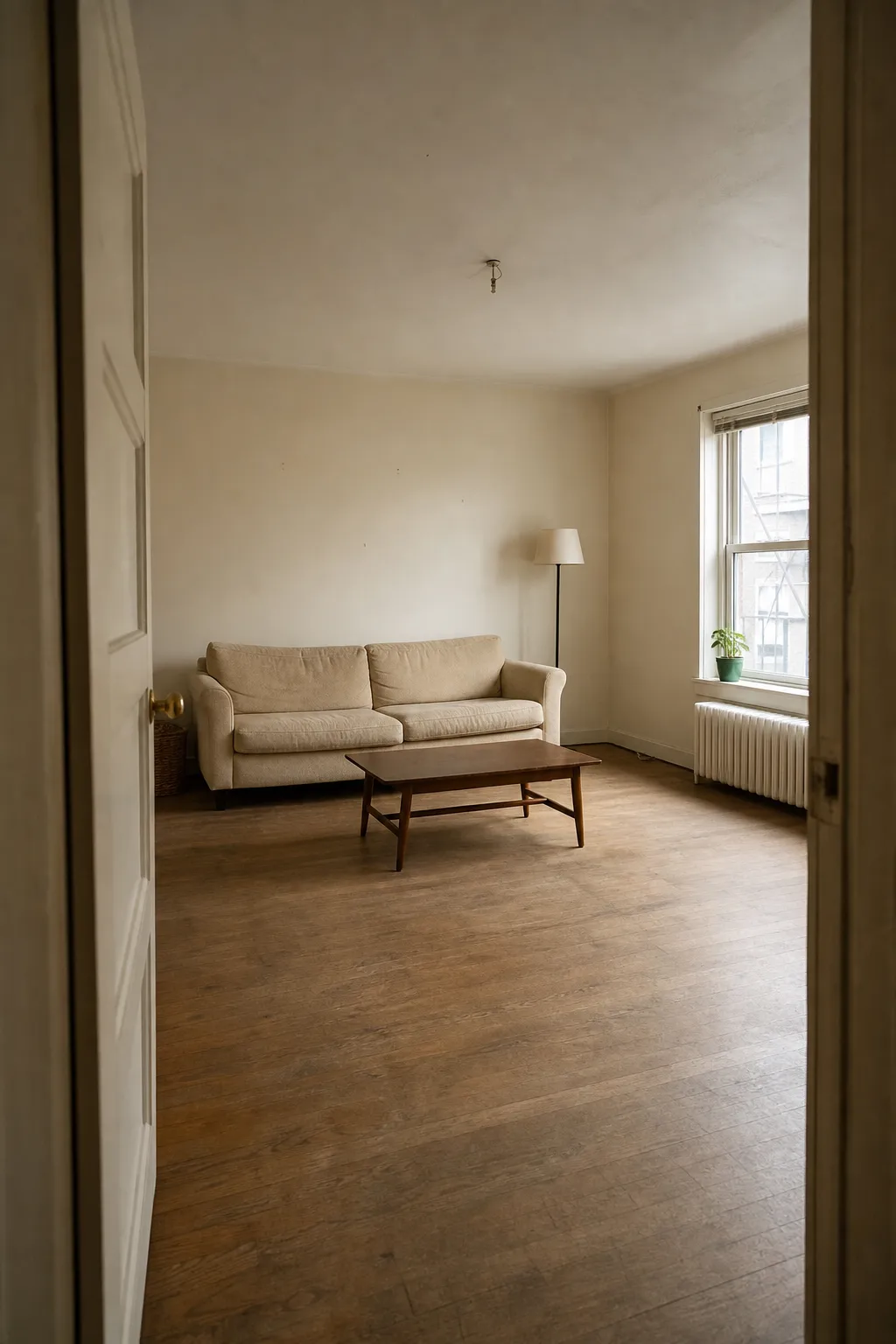
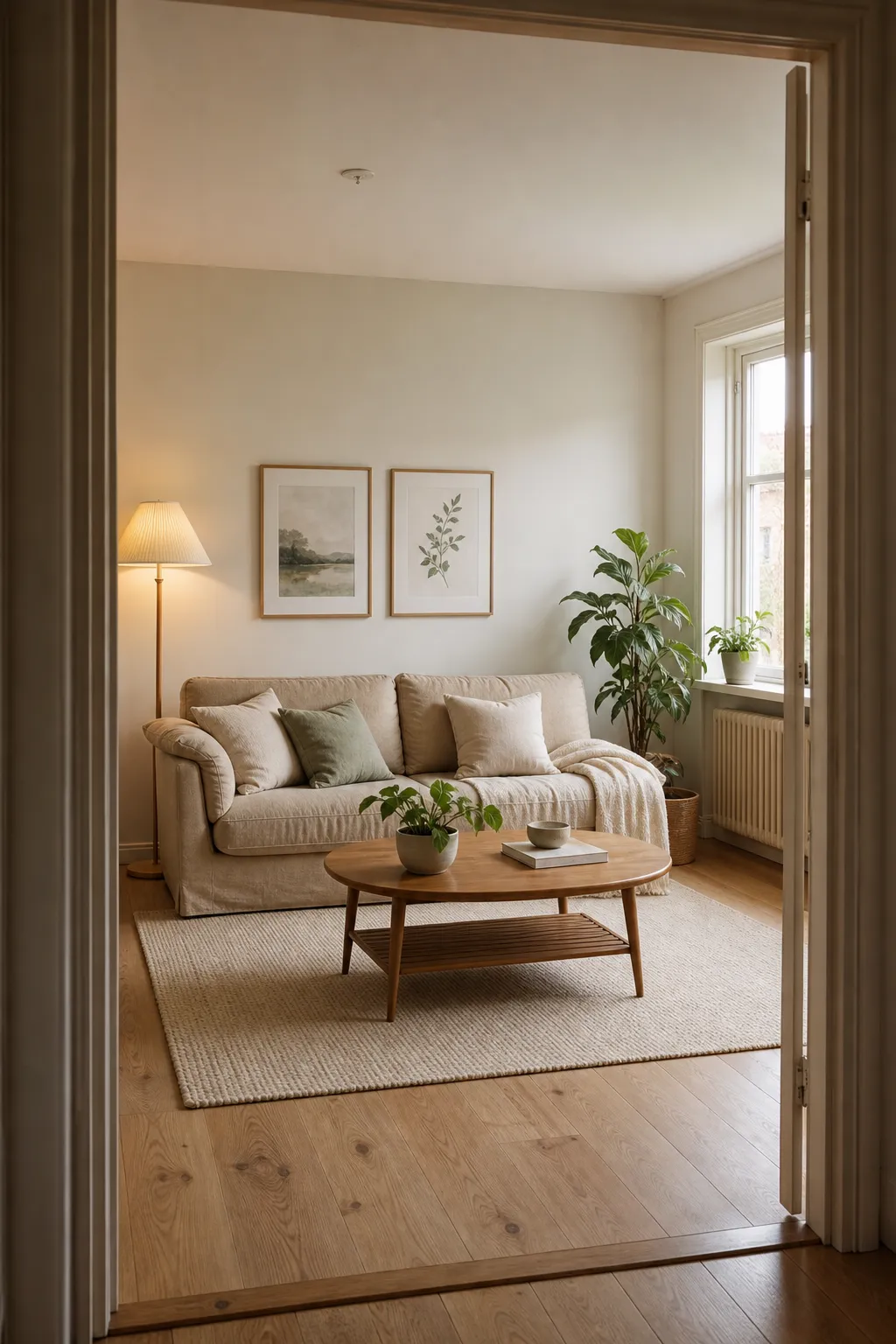
A real Roomcast before and after
Before
After: Scandinavian
An AI room design app takes a photo of an actual room — your bedroom, living room, or a rental you’re about to move into — and generates a redesigned version of it. Instead of scrolling Pinterest and imagining how a style would look in your space, you get a rendered preview in seconds.
The category has grown quickly enough that “AI room design app” now returns dozens of options, and they are not interchangeable. Some genuinely redesign your room. Others generate a generic, showroom-style image that happens to share a color palette with your photo. Knowing the difference matters before you pay for a subscription.
See it in your own room for free
Upload a photo of your room, pick a style, and compare a redesign made with instructions to keep your room layout. No signup needed.
Redesign my room freeSee how Roomcast redesigns your actual roomOr get Roomcast on iPhone1 free watermarked preview a month. Premium on iPhone: $4.99/week with a 3-day free trial, $6.99/month, or $29.99/year with a 3-day free trial.
How AI room design apps actually work
Most apps in this category follow the same basic pipeline:
- You provide a photo. Usually taken on your phone, in normal lighting, showing the room you want to redesign.
- You pick a style. Common options: Modern, Scandinavian, Coastal, Japandi, Mid-Century, Boho, Minimalist, Industrial.
- The app sends your photo to an image-generation model (often a version of Stable Diffusion, a proprietary fine-tuned model, or increasingly a multimodal model like Gemini) along with a prompt describing the target style.
- You get a result — a new image meant to represent your room in the chosen style.
The meaningful difference between apps is what happens in step 3. Some tools use image-to-image generation with strong structural conditioning, which means the model is constrained to preserve your room’s actual layout — where the windows are, where the walls meet, what furniture already exists — and only changes surface-level styling (colors, textures, furniture pieces, decor). Other tools use looser conditioning that treats your photo more like a rough starting point, which produces more dramatic, “wow” results but ones that don’t match your real room.
What to check before you commit to one
Does it keep your actual room, or invent a new one? Upload a test photo of a room with a distinctive feature — an odd window shape, a fireplace, a slanted ceiling — and see if that feature survives the redesign. If it disappears or gets replaced, the tool is generating inspiration images, not redesigning your space.
Can you tell what’s real vs. generated? Some redesigns include furniture that doesn’t exist for sale anywhere, which is fine for inspiration but useless if you’re trying to actually recreate the look. Apps that pair each redesign with real, shoppable furniture links are more useful if your goal is to buy something.
What’s the actual pricing, not the trial pricing? This is the single biggest source of App Store complaints in the category. Look specifically for: does the free trial auto-convert to a paid subscription at a different (often higher) price? Are you charged again immediately if you forget to cancel? Is there a hard credit limit that stops you mid-project? A transparent app states its real recurring price up front — for example, a flat $6.99/month or $29.99/year — rather than only showing a “$0 to start” trial price.
Does the room stay editable, or is it a one-shot render? Some apps let you regenerate with a different style if the first result misses, others charge a new credit for every attempt.
Roomcast’s approach
Roomcast is built around the first check above: it keeps your room’s real windows, doors, walls, and existing furniture in place, and only changes the styling. You take or upload a photo, pick from six styles — Modern, Scandinavian, Coastal, Japandi, Mid-Century, or Boho — and get a realistic before/after redesign you could actually work toward, with furniture suggestions that match the result.
On pricing: Roomcast Premium is $6.99/month or $29.99/year (about $2.50/month), billed through Apple as a standard auto-renewable subscription with no trial-to-higher-price switch and no per-export surcharges. You can cancel anytime in your Apple ID settings.
See it in your own room for free
Upload a photo of your room, pick a style, and compare a redesign made with instructions to keep your room layout. No signup needed.
Redesign my room freeSee how Roomcast redesigns your actual roomOr get Roomcast on iPhone1 free watermarked preview a month. Premium on iPhone: $4.99/week with a 3-day free trial, $6.99/month, or $29.99/year with a 3-day free trial.
Related guides
- Just want to test a layout? Rearrange my room app covers the layout-testing use case specifically.
- Want the mechanics of photo-to-redesign? Room makeover app from photo.
- Shopping by price first? Free AI interior design apps explains what free tiers actually include.
- Already tried a free web tool? HomeGPT alternative compares it against interior-focused apps.
The bottom line
If you’re comparing AI room design apps, the two questions worth actually testing before you subscribe are: does it redesign your room or a generic one, and is the pricing honest about what you’ll actually pay after the first week. Everything else — style count, UI polish, generation speed — is secondary to those two.
See it in your own room for free
Upload a photo of your room, pick a style, and compare a redesign made with instructions to keep your room layout. No signup needed.
Redesign my room freeSee how Roomcast redesigns your actual roomOr get Roomcast on iPhone1 free watermarked preview a month. Premium on iPhone: $4.99/week with a 3-day free trial, $6.99/month, or $29.99/year with a 3-day free trial.
Keep exploring: room ideas, all Roomcast alternatives compared, or redesign your own room free.