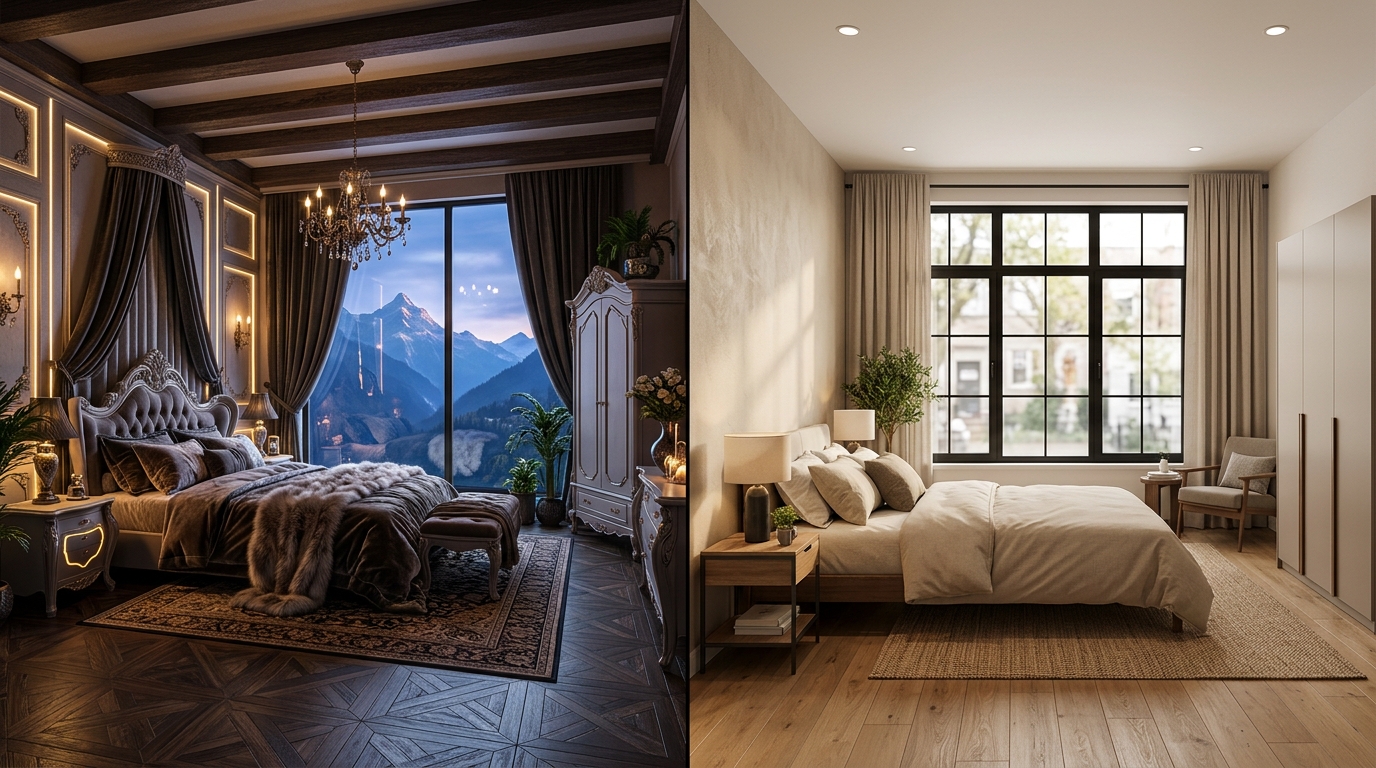
If you’re reading this, you’ve probably already looked at Interior AI (interiorai.com) — Pieter Levels’ AI interior design and virtual staging tool — and you’re trying to figure out either what it costs before committing, or why the redesign it gave you looked incredible but didn’t actually look like your room anymore. Both are common reasons to search for an alternative, and they point to different problems.
Interior AI is a real, established product with genuine strengths, and this guide isn’t here to talk you out of it if it fits what you need. But “interior ai” is the single highest cost-per-click search term in this category for a reason — people are evaluating it carefully before they pay, and the pricing and positioning aren’t always obvious from the homepage alone. Below is what it actually costs as of July 2026, what it’s genuinely good at, and where a structure-preserving tool like Roomcast fits instead.
See it in your own room for free
Upload a photo of your room, pick a style, and compare a redesign made with instructions to keep your room layout. No signup needed.
Redesign my room freeSee how Roomcast redesigns your actual roomOr get Roomcast on iPhone1 free watermarked preview a month. Premium on iPhone: $4.99/week with a 3-day free trial, $6.99/month, or $29.99/year with a 3-day free trial.
Is Interior AI free?
No. As of July 2026, Interior AI has no free tier at all — you cannot generate a single design without an active paid subscription. There’s no watermarked free render, no “3 free tries,” and no free trial period. You can browse pre-made example designs on the site to get a sense of output quality, but testing it on your own room requires paying first.
This is worth knowing going in, because most of the competitors in this space (including Roomcast) let you run at least one real redesign on your own photo before asking for a card.
Interior AI pricing
As of July 2026, Interior AI runs three paid tiers, all billed monthly or yearly (yearly works out to roughly 40-50% cheaper per month):
- Pro — around $49/month, or about $29/month billed yearly. Roughly 1,000 designs per month at standard render quality.
- Premium — around $99/month, or about $49/month billed yearly. Higher-quality renders, virtual staging tools, and video generation, marketed as the most popular tier.
- Ultra — around $199/month, or about $99/month billed yearly. High-volume generation with priority processing speed, aimed at agencies and power users.
Pricing pages for AI tools change often, and third-party listings sometimes show stale numbers — some review sites still quote an older $19-$39/month entry price that no longer matches interiorai.com. Confirm current prices directly on the site before subscribing.
For a homeowner wanting to redesign one or two rooms, the entry tier is priced like a professional tool, not a casual one — closer to a real estate business expense than an impulse subscription.
Two kinds of AI interior design tools
Almost every tool in this category looks the same on the surface: upload a room photo, pick a style, get a redesigned image back. But under the hood, they split into two genuinely different approaches, and knowing which one you’re using matters more than any feature list.
Generative reimagining treats your photo as a loose creative reference. The model is optimized to produce a striking, cohesive image in the chosen style, and it will move walls, resize windows, swap the floor material, or replace furniture entirely if that produces a better-looking result. This tends to win on raw visual polish — outputs can look like professional interior photography — but the room in the result is often a new room, not yours.
Structure-preserving redesign treats your room’s actual architecture — walls, windows, floor plan, sometimes existing furniture — as a fixed constraint. The model is only allowed to change what you could realistically change in real life: furniture, decor, paint, rugs, lighting. Results are less likely to look like a magazine spread on the first try, but they map directly back to your real space, which is what matters if you’re about to spend money based on what you see.
Marketing rarely names which camp a tool falls into — everyone just says “AI room redesign.” The reliable test: run your own room photo through it and check whether the window moved, the floor changed, or furniture you wanted to keep disappeared. Generative-reimagining tools fail this test more often, even when the output looks great in isolation.
What Interior AI does well
To be fair: Interior AI is a mature product with real strengths, and some searchers are better off staying with it.
- Virtual staging for real estate. This is arguably its strongest use case — furnishing empty listing photos to help homes sell faster and for more, at the volume a busy agent needs (hundreds to thousands of images a month).
- Style variety and polish. The Premium and Ultra tiers produce highly finished, photorealistic renders across a wide range of aesthetics, which is genuinely useful for pure inspiration browsing.
- Established product, proven track record. It’s been running for years with a large user base, which counts for something if you want a tool that isn’t going away.
Where it’s weaker: if you’re deciding what furniture to actually buy for the room you’re standing in, volume-oriented, generation-heavy tools aren’t optimized for “does this still look like my room” — that’s not the job they were built for.
Interior AI alternatives compared
| Tool | Free tier | Signup to try | Keeps your real room | Pricing model | Platform |
|---|---|---|---|---|---|
| Interior AI | No | Paid signup required | Not the focus (generative) | Subscription, ~$49-$199/mo | Web |
| Roomcast | Yes — 1/mo | No account for first redesign | Yes (built for this) | $6.99/mo or $29.99/yr | Web + iOS |
| RoomGPT | 1 free generation | Google sign-in | — | Credit packs | Web |
| Spacely AI | Yes, credit-based | Account required | — | Credits + subscription | Web |
| ReimagineHome | First 5 designs free | No credit card | — | Credits + subscription | Web |
Roomcast and Interior AI sit at opposite ends of this table on purpose — one is built for volume and polish, the other for fidelity to your actual room. Where the credit-based tools land depends on how carefully they’ve tuned their model toward preservation, which varies release to release; test with your own photo rather than trusting a features page.
Where Roomcast fits (and when it doesn’t)
Roomcast is built specifically for the “does this still look like my room” problem. Upload a photo and it keeps your real windows, walls, doors, and existing furniture in place, restyling rather than reinventing — the goal is a redesign you could actually shop for, not a new room that happens to share your floor plan. There’s a free web demo at getroomcast.com/try with no account needed for your first redesign. Premium unlocks more comparisons at $6.99/month or $29.99/year, across 6 styles (Modern, Scandinavian, Coastal, Japandi, Mid-Century, Boho), on web and iOS.
Where Roomcast is the wrong pick: if you’re a real estate agent staging dozens of empty listing photos a month, you don’t need structure preservation — there’s no existing furniture to preserve — and you’d benefit more from a tool built for that volume and workflow, like Interior AI or ReimagineHome. Roomcast is built for people redesigning the room they actually live in, not staging an empty one for sale. If that’s your case, see our virtual staging app guide for tools built around that job specifically.
If you came here after trying RoomGPT and hitting its one-generation free limit, our RoomGPT alternative guide covers that comparison in more depth. And if you just want to see what a specific style looks like before uploading anything, browse Scandinavian living room ideas first.
Bottom line
Interior AI is a solid, mature tool — especially for real estate staging at volume or for pure style inspiration — but as of July 2026 it’s paid-only starting around $49/month, and its generation approach isn’t built to guarantee your actual room stays recognizable. If what you want is to see your own space restyled with the walls, windows, and furniture you actually have, test that specifically: run your own photo through whatever tool you’re considering and check whether it held up. Roomcast’s free demo at /try takes about a minute to try on your own room, no account required.
See it in your own room for free
Upload a photo of your room, pick a style, and compare a redesign made with instructions to keep your room layout. No signup needed.
Redesign my room freeSee how Roomcast redesigns your actual roomOr get Roomcast on iPhone1 free watermarked preview a month. Premium on iPhone: $4.99/week with a 3-day free trial, $6.99/month, or $29.99/year with a 3-day free trial.
See it in your own room for free
Upload a photo of your room, pick a style, and compare a redesign made with instructions to keep your room layout. No signup needed.
Redesign my room freeSee how Roomcast redesigns your actual roomOr get Roomcast on iPhone1 free watermarked preview a month. Premium on iPhone: $4.99/week with a 3-day free trial, $6.99/month, or $29.99/year with a 3-day free trial.
Keep exploring: room ideas, all Roomcast alternatives compared, or redesign your own room free.