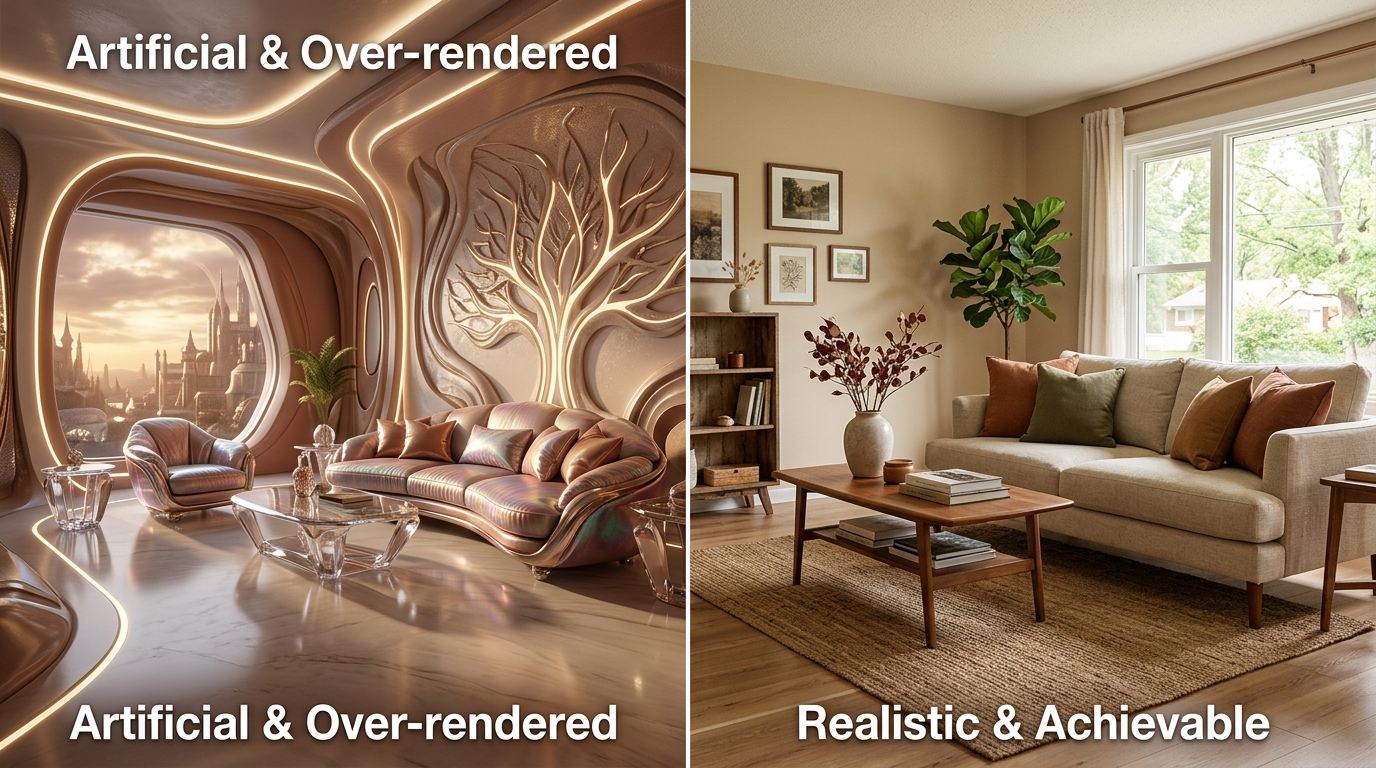
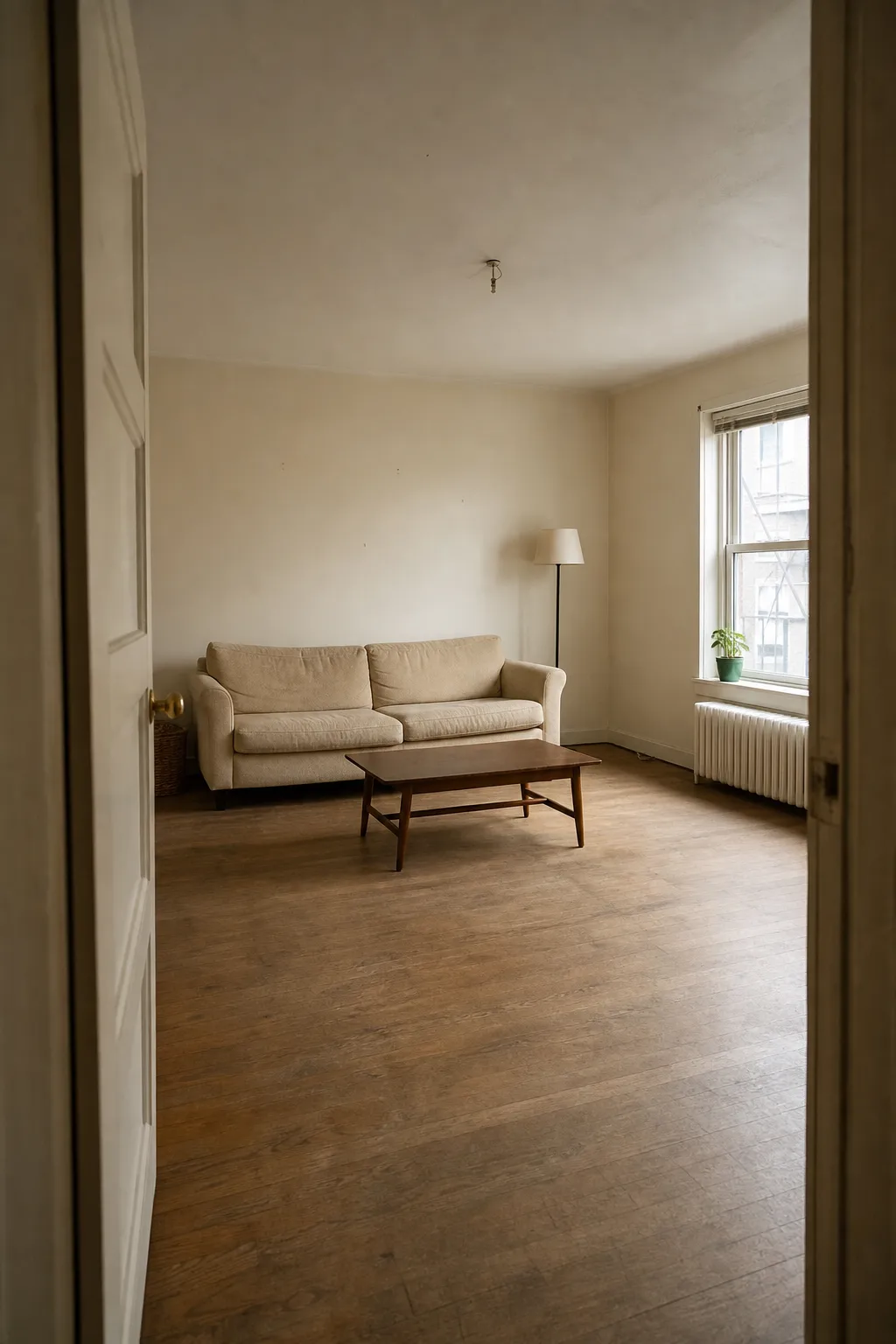
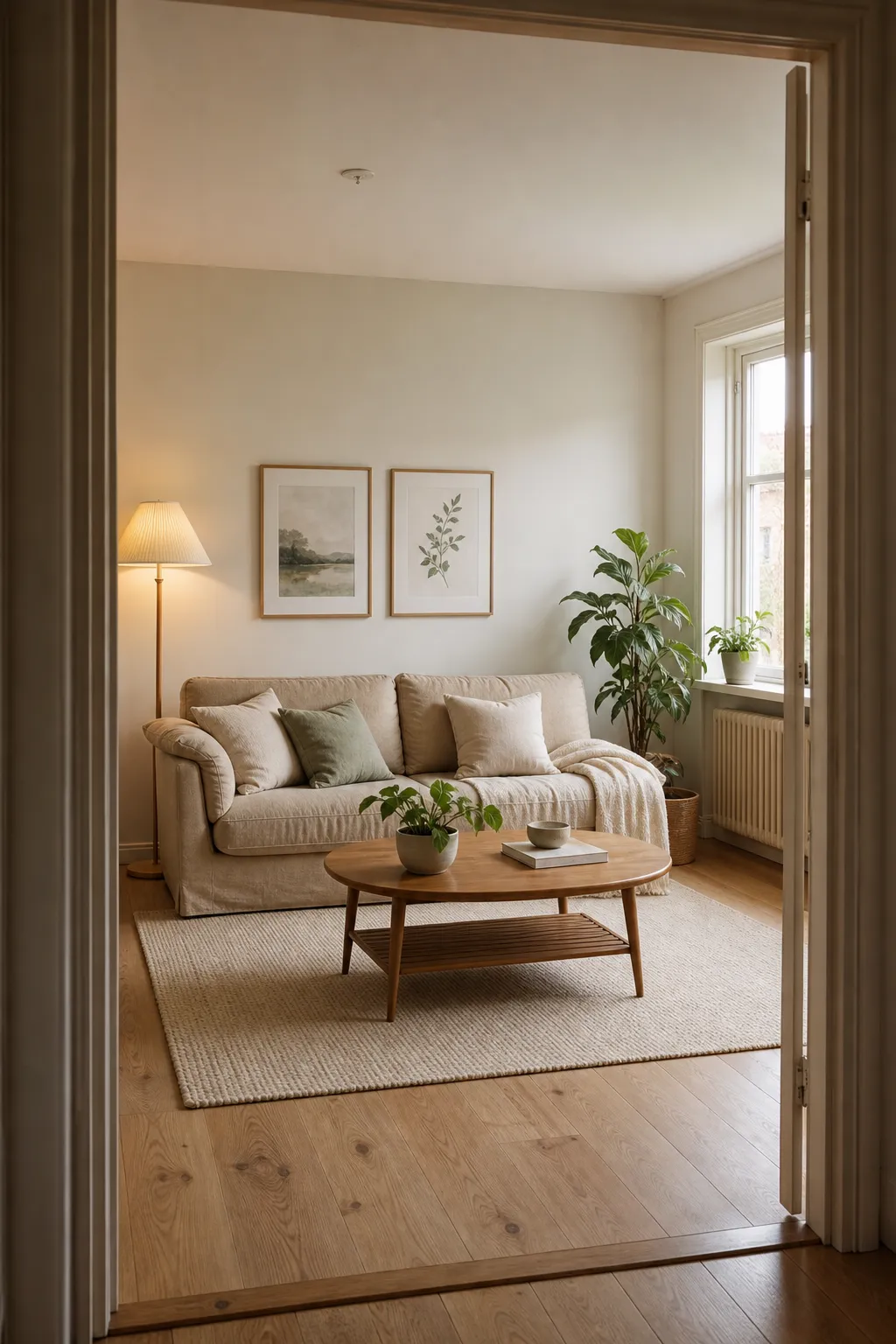
A real Roomcast before and after
Before
After: Scandinavian
If you’ve already poked around Spacely AI, you’re probably in one of two spots: you burned through the free trial credits faster than expected, or you got a redesign back that looked polished but didn’t quite match the room you actually photographed. Both are common enough that “spacely ai alternative” is a search a lot of people run before they’ve even finished evaluating the original tool.
That’s a reasonable thing to want to sort out before paying for anything. Spacely AI is a real, capable product - not a factor here - but its pricing model and its approach to your room’s layout might not fit what you’re trying to do. This guide covers what Spacely AI actually costs as of July 2026, what it does well, and where a different tool - including Roomcast - fits better depending on your situation.
See it in your own room for free
Upload a photo of your room, pick a style, and compare a redesign made with instructions to keep your room layout. No signup needed.
Redesign my room freeSee how Roomcast redesigns your actual roomOr get Roomcast on iPhone1 free watermarked preview a month. Premium on iPhone: $4.99/week with a 3-day free trial, $6.99/month, or $29.99/year with a 3-day free trial.
Is Spacely AI free?
Yes, in a limited way: Spacely AI offers a free-forever plan with 40 one-time trial credits and no credit card required to sign up. That’s a real free tier, not a bait-and-switch - you can create an account and generate several designs without paying. The nuance is that those 40 credits don’t refill. Once they’re gone, generating more designs means subscribing to a paid plan or buying a credit top-up. So “free” here means a fixed trial allotment, not an ongoing free tier you can return to every month.
Spacely AI pricing and credits
As of July 2026, Spacely AI’s plans are Personal, Studio, and Agency, each billed monthly or yearly (yearly works out cheaper per month). Personal runs around $20/month, Studio - listed as the most popular tier - around $40/month, and Agency around $80/month, with Studio adding a second seat and faster render queue priority over Personal. Each plan comes with a monthly credit allowance rather than unlimited generations, and unused credits are reported to carry over as long as you stay subscribed. If you burn through your monthly credits early, Spacely AI also sells one-off top-ups, for example 200 credits for around $9.
This is a genuinely credit-based system, which lines up with how remodelai.io and other reviewers describe it. It’s worth knowing going in: your effective cost per redesign depends on how many credits each render consumes and how heavily you iterate, not just the plan price. If you’re the kind of person who wants to try five or six variations before landing on one, budget for that in credits, not just in dollars.
What Spacely AI does well
Credit where it’s due: Spacely AI is a capable, full-featured AI design generator. It supports a wide range of styles, offers 4K downloads and commercial licensing on paid plans, and the priority render queues on Studio and Agency tiers cut wait times to a few minutes or less - useful if you’re working through a lot of concepts quickly. For interior designers, stagers, or anyone who wants to explore a broad range of concept directions fast and doesn’t mind a credit meter running in the background, it’s a reasonable tool to have in the kit. The free trial credits are also a genuinely no-friction way to see the output quality before committing.
Where a different tool fits better
The reason people look past Spacely AI usually comes down to one of a few overlapping issues, and they’re worth naming directly rather than treating as a single vague complaint.
The first is structure preservation: does the redesign still show your actual windows, walls, floor, and door placement, or does it look like a generic styled room that happens to share a floor plan shape with yours? That’s the detail that matters if you’re planning an actual purchase or renovation rather than browsing for inspiration - see our free AI interior design app guide for how to check this on any tool. The second is whether the tool keeps furniture you want to hang on to, rather than replacing everything in frame. The third is who the tool is really built for - a renter who can only change paint, rugs, and furniture needs different assumptions baked in than a homeowner planning a gut renovation. The fourth is whether you can test all of this on your own room photo before entering payment details, which is the fastest way to answer the first three questions for yourself. And the fifth is the pricing model itself: a flat subscription suits people who want to iterate and revisit their room over time, while credit or per-image pricing can work out better if you only need one or two final images.
None of these make Spacely AI a bad tool. They just mean the right pick depends on what you’re actually trying to do with the output, which is also true when comparing it against RoomGPT or any other generator in this category.
Spacely AI alternatives compared
| Tool | Free tier | Signup to try | Keeps your real room | Pricing model | Platform |
|---|---|---|---|---|---|
| Spacely AI | 40 one-time credits, no card | Account required | Varies by prompt/settings | Subscription ($20-$80/mo) + credit top-ups | Web |
| Roomcast | 1 redesign/month | No account for first try | Yes, by design | Subscription ($6.99/mo or $29.99/yr) | Web + iOS |
| RoomGPT | 1-3 generations | Google sign-in required | — | Subscription (~$15/mo, not always public) | Web |
| ReimagineHome | 5 full-quality designs, no card | Account required | — | Subscription/credits ($14-$99/mo) | Web |
| Canva AI Interior Styler | Free inside Canva | Canva account | — | Included with Canva (free/Pro) | Web + mobile |
Treat the “keeps your real room” column as something to verify yourself rather than take on faith - it’s the one claim in this table that’s hardest to judge from a pricing page and easiest to test in two minutes with your own photo.
Where Roomcast fits (and when it doesn’t)
Roomcast is built specifically around the structure-preservation question this whole comparison keeps circling back to. Upload a photo of your real room and the redesign keeps your actual windows, walls, doors, and existing furniture in place - it restyles what’s there rather than generating a new room that loosely resembles it. You can try it at getroomcast.com/try with no account needed for your first redesign. Ongoing use is $6.99/month or $29.99/year (roughly $2.50/month on the annual plan), with 6 styles - Modern, Scandinavian, Coastal, Japandi, Mid-Century, and Boho - and no credit packs to manage. It’s available on the web and as a native iOS app, and it’s aimed at one person working on their own space, which pairs well with browsing small apartment decorating ideas before you commit to a style.
Where Roomcast isn’t the right pick: if you’re a designer or real estate agent who needs to batch-process dozens of listing photos for virtual staging, a credit-based tool built for volume - Spacely AI or ReimagineHome - is a better match. Roomcast’s flat subscription and per-room focus make sense for someone redesigning their own home, not for production-scale staging work. Being honest about that distinction is more useful than pretending one tool fits every use case.
Bottom line
Spacely AI’s free tier is real but finite - 40 one-time credits, then a subscription or top-up - and its paid plans are priced around volume and render speed, which suits designers and stagers doing high-throughput work. If you’re one person trying to figure out what your own room could look like without losing the room in the process, test that specifically on your own photo, free, before paying for anything. That’s true whether you end up on Roomcast, Spacely AI, or something else on this list.
See it in your own room for free
Upload a photo of your room, pick a style, and compare a redesign made with instructions to keep your room layout. No signup needed.
Redesign my room freeSee how Roomcast redesigns your actual roomOr get Roomcast on iPhone1 free watermarked preview a month. Premium on iPhone: $4.99/week with a 3-day free trial, $6.99/month, or $29.99/year with a 3-day free trial.
See it in your own room for free
Upload a photo of your room, pick a style, and compare a redesign made with instructions to keep your room layout. No signup needed.
Redesign my room freeSee how Roomcast redesigns your actual roomOr get Roomcast on iPhone1 free watermarked preview a month. Premium on iPhone: $4.99/week with a 3-day free trial, $6.99/month, or $29.99/year with a 3-day free trial.
Keep exploring: room ideas, all Roomcast alternatives compared, or redesign your own room free.