Make a plain rental bedroom feel finished
See your bedroom with a headboard, layered bedding, a rug and warmer lighting before buying any of it. Renter-friendly changes only: nothing the result shows requires drilling or painting.
AI bedroom design · from your photo
Upload a photo of your bedroom as it is today, clutter and all. Roomcast keeps the window, doors and bed position and shows the same room restyled, so you can see what to change before you buy.
No signup to start · Free to start · Premium $4.99/week, $6.99/month or $29.99/year
Two controls, one real room
Best for a grounded preview
The bed, window, closet and doors stay where they are. Bedding, colors, lighting, rugs and decor change.
Best for broader ideas
Freestanding furniture may move or be replaced to show a bigger idea, like a different bed wall. The architecture stays.
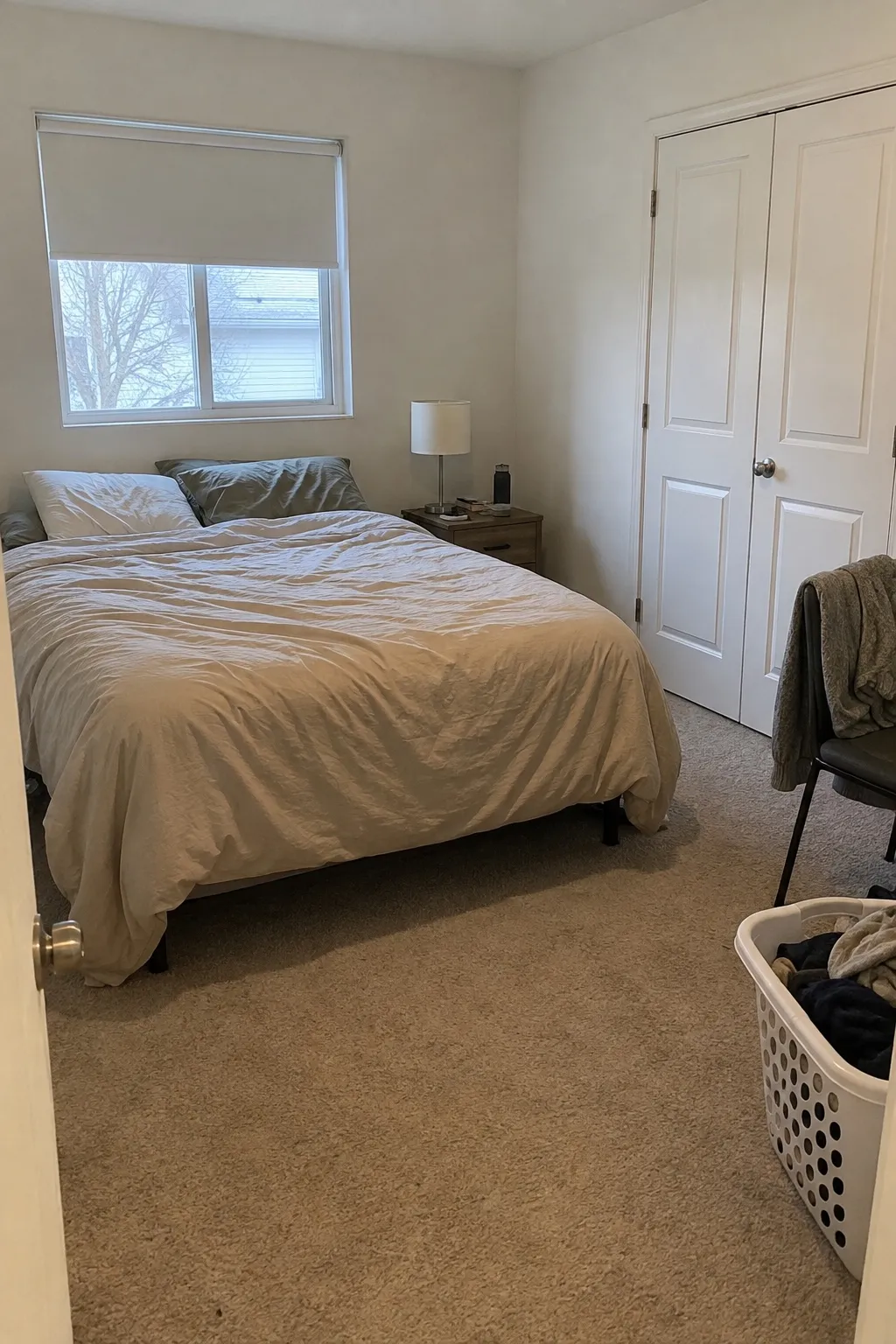
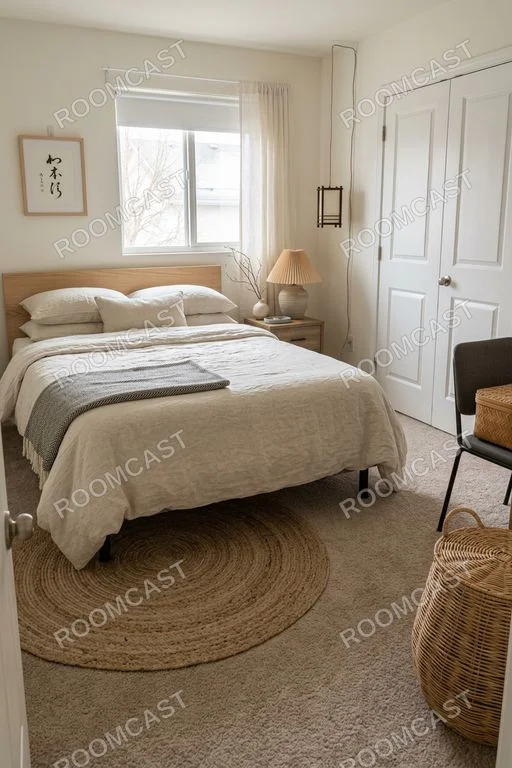
Result first
Roomcast is a visual planning aid. It helps you narrow the idea; measurements and product fit still need a real-world check.
Use a straight-on, well-lit view so the room structure is easy to read.
Try Modern, Scandinavian, Coastal, Japandi, Mid-Century or Boho.
Use the result as a concrete direction, then verify dimensions before changing the room.
Useful, not magical
See your bedroom with a headboard, layered bedding, a rug and warmer lighting before buying any of it. Renter-friendly changes only: nothing the result shows requires drilling or painting.
Run the same photo in Japandi and Scandinavian and compare which one suits the light your window actually gets.
Creative redesign can suggest a different bed wall or fewer pieces to free floor space. Measure the bed, door swing and walkways before you move anything.
Before you try it
Yes. Take one photo from the doorway in daylight, upload it and choose a style. Roomcast returns a redesigned version of your actual bedroom in about a minute; the first web preview is free and watermarked.
Keep room layout mode asks the AI to keep the window, doors, closet and the bed position and change bedding, colors, lighting and decor. In the example on this page the window, closet doors, bed position and chair all stayed put. AI can still make mistakes, so check the result against your photo.
Modern, Scandinavian, Coastal, Japandi, Mid-Century and Boho. Our bedroom ideas pages break each style down by palette and texture.
The first web preview each month is free and watermarked. In the iPhone app Premium is $4.99/week, $6.99/month or $29.99/year (US prices; weekly and yearly start with a 3-day free trial that includes 15 redesigns).
Use your own room
Try the web flow first. Move to the iPhone app when you want saved redesigns and more iterations.