Pick a direction before you buy a sofa
See your living room in Modern, Scandinavian, Japandi or Mid-Century before committing to the big pieces. Keep room layout leaves your sofa where it is and changes the colors, textiles and decor around it.
AI living room design · from your photo
Upload a photo of the living room you already have. Roomcast keeps the walls, windows and camera angle and shows a redesigned version in the style you pick, so you can compare it with today's room.
No signup to start · Free to start · Premium $4.99/week, $6.99/month or $29.99/year
Two controls, one real room
Best for a grounded preview
Your sofa, shelves and windows stay where they are. Roomcast restyles colors, finishes, textiles, lighting and decor around them.
Best for broader ideas
Freestanding furniture may move or change to show a bigger idea, such as a clearer walkway or a new focal point. The architecture stays.
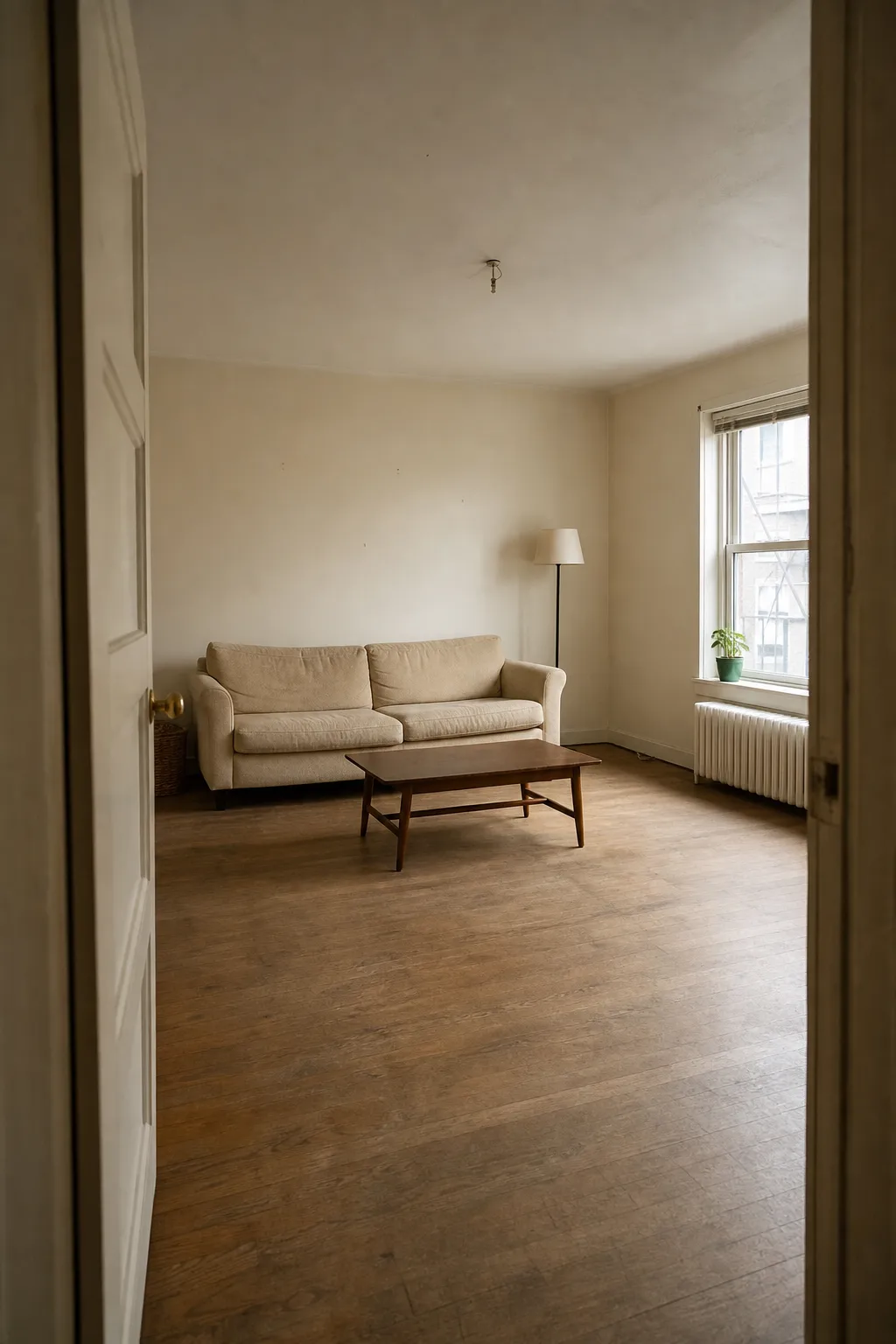
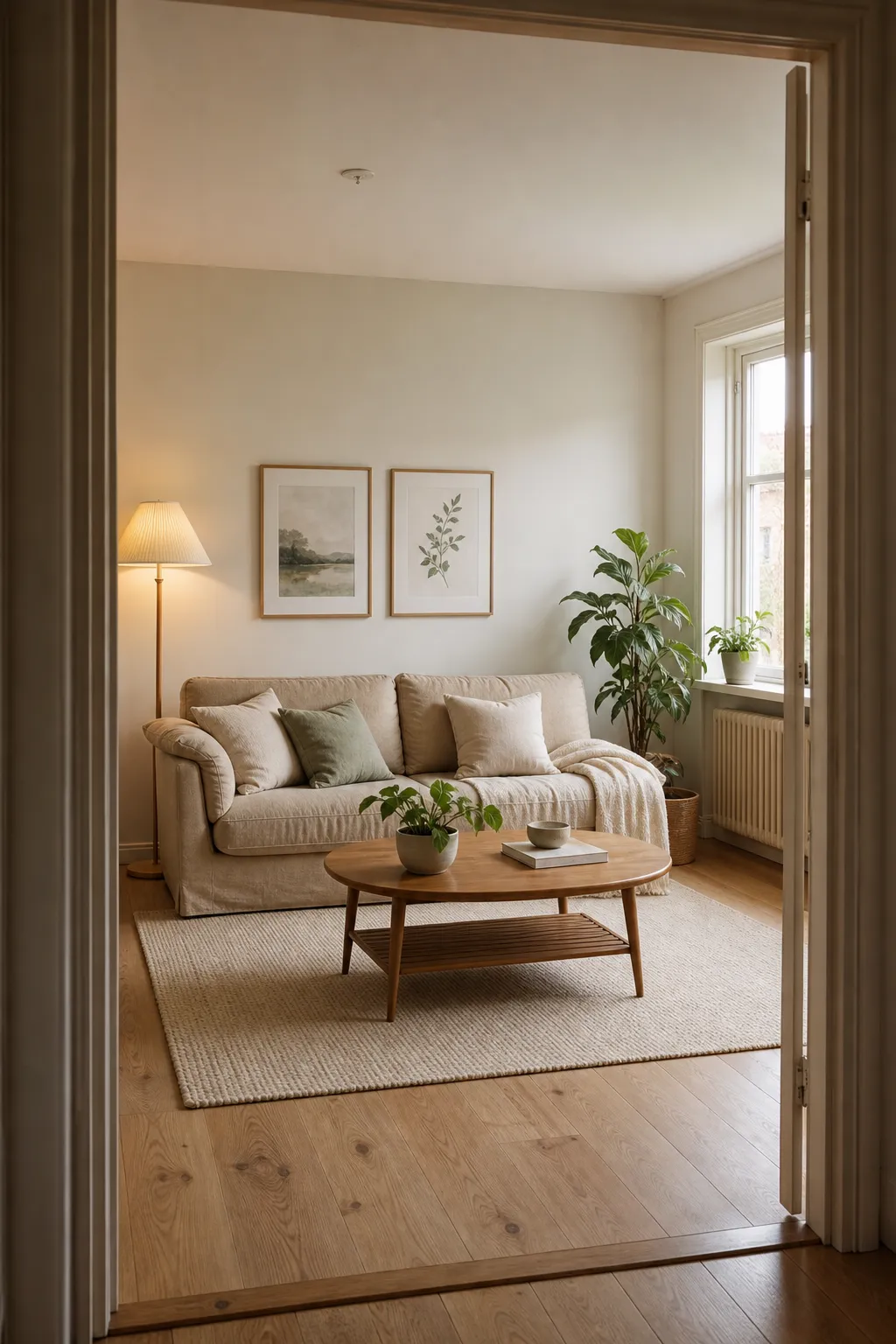
Result first
Roomcast is a visual planning aid. It helps you narrow the idea; measurements and product fit still need a real-world check.
Use a straight-on, well-lit view so the room structure is easy to read.
Try Modern, Scandinavian, Coastal, Japandi, Mid-Century or Boho.
Use the result as a concrete direction, then verify dimensions before changing the room.
Useful, not magical
See your living room in Modern, Scandinavian, Japandi or Mid-Century before committing to the big pieces. Keep room layout leaves your sofa where it is and changes the colors, textiles and decor around it.
Compare a lighter palette against a warmer one on your own walls and floor, then take the version you like to the paint or rug store as a reference.
Creative redesign may move or replace freestanding furniture to open a walkway or change the focal point. Measure before you move anything; the image is a direction, not a floor plan.
Before you try it
Yes. Upload one straight-on, well-lit photo of your living room, choose a style, and Roomcast returns a redesigned version of the same room in about a minute. The first web preview is free and watermarked, with no account.
In Keep room layout mode Roomcast asks the AI to preserve walls, windows, doors and the position of large furniture while restyling everything else. AI can still make mistakes, so compare the result with your photo before acting on it.
Modern, Scandinavian, Coastal, Japandi, Mid-Century and Boho. In the iPhone app you can continue the same room with directions such as warmer, lighter or same furniture with new colors.
The first web preview each month is free and watermarked. In the iPhone app Premium is $4.99/week, $6.99/month or $29.99/year (US prices; weekly and yearly start with a 3-day free trial that includes 15 redesigns).
Use your own room
Try the web flow first. Move to the iPhone app when you want saved redesigns and more iterations.