Compare · Facts checked October 19, 2026
Best AI interior design apps (2026)
Ten AI interior design apps, compared on what they charge, what is free, where they run and what their own listings say they do. Prices and features come from each app's US App Store listing or pricing page on October 19, 2026. Only Roomcast has been run on our test rooms so far; every other app is marked Not tested yet rather than given a made-up score.
The comparison
| App | Platform | App Store rating (US) | Listed prices (US) | Free option | Features the listing names | Our same-room test |
|---|---|---|---|---|---|---|
| Roomcast | iPhone, web | No ratings yet (new) | $4.99/week (3-day trial), $6.99/month, $29.99/year (3-day trial) | 1 watermarked preview a month, no account | Keep room layout and Creative redesign modes, 6 styles, before/after comparison, continue the same room with directions | Tested: bedroom (Japandi, free preview) on Oct 19; living room example below |
| Home AI | iPhone, iPad | 4.5 (160,550 ratings) | Weekly $4.99–$14.99, yearly $19.99–$39.99 | Free download; plans include a weekly trial option | Interior, exterior and garden/landscape design, wall paint ideas, furniture and decor previews | Not tested yet |
| DecAI | iPhone, iPad | 4.6 (34,190 ratings) | Weekly $5.99–$9.99, yearly $14.99–$59.99, lifetime $49.99 | Free download; paid plans for full use | Chat "design agent" for text edits, empty-room design, 100+ styles, reference-image style transfer, furniture replacement, exterior design | Not tested yet |
| AI Remodel | iPhone, iPad | 4.6 (24,918 ratings) | Weekly $4.99–$11.99 (some with 3-day trial), monthly $24.99, annual $64.99 | Free download; weekly plans with a 3-day trial listed | Wall color and flooring previews, replace furniture, remove objects, exterior and garden redesign, reference-style mode | Not tested yet |
| House AI | iPhone, iPad | 4.4 (7,298 ratings) | Weekly $9.99–$29.99, yearly $69.99, other plans $15.99–$19.99 | Free download; "weekly free trial" package listed | Interior, exterior, garden and wall-painting tools (the listing is keyword-heavy; check features in the app) | Not tested yet |
| Ruma | iPhone, iPad | 4.6 (2,904 ratings) | Weekly $6.99–$9.99, yearly $19.99–$64.99, other items $5.99 and $49.99 | Free download; trial plans listed | Interior and exterior design, garden and landscape design, furniture, color and texture experiments | Not tested yet |
| Planner 5D | Web, iPhone, iPad, Android | 4.4 on iPhone (42,073 ratings) | Premium $19.99/month or $59.99/year; Professional $49.99/month or $399.99/year | Free plan ($0) with an account | 3D floor planning with a furniture catalog, plus an AI design studio for photos | Not tested yet |
| Interior AI | Web | Not on the App Store | Pro $49/month ($29/month billed yearly), Premium $99/month, Ultra $199/month | No free plan shown in its pricing section | Interior redesign, virtual staging, walkthrough videos, add furniture, commercial use license | Not tested yet |
| ReimagineHome | Web | Not compared here | Essential, Pro, Advanced and Agency plans, $14–$99/month (credit-based) | Check its pricing page for the current free allowance | AI redesign and virtual staging aimed largely at real estate listings | Not tested yet |
| Spacely AI | Web | Not compared here | Personal and Studio subscriptions (prices load in the page); credit top-ups from $9 for 200 credits | Free plan with 40 trial credits, account required | Realistic render, auto furnish, point-and-edit, 4K download, SketchUp/Revit/AutoCAD/Rhino integrations | Not tested yet |
"Listed prices" are the price points in each app's App Store "Top In-App Purchases" list, which can include older or regional offers; the price you are shown before buying is the one that counts. Feature columns repeat the developer's own description, not our verification.
What we tested, and how
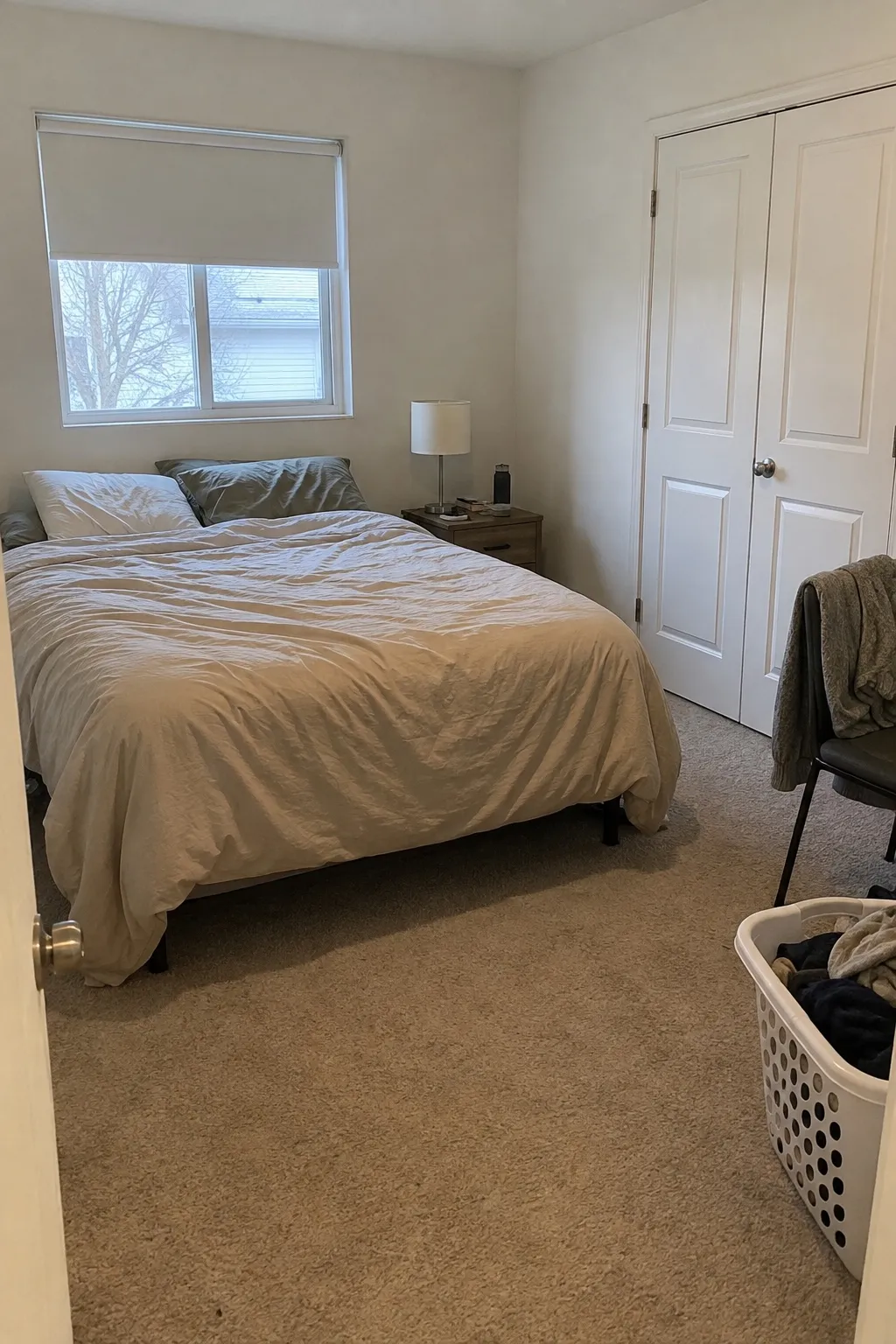
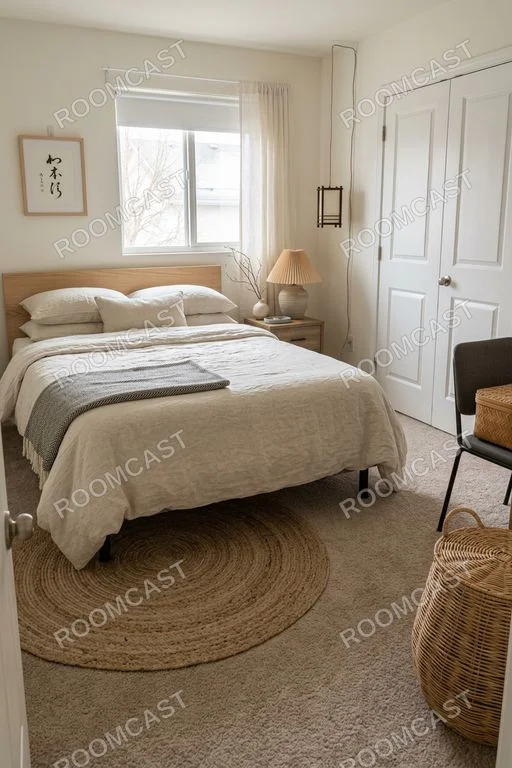
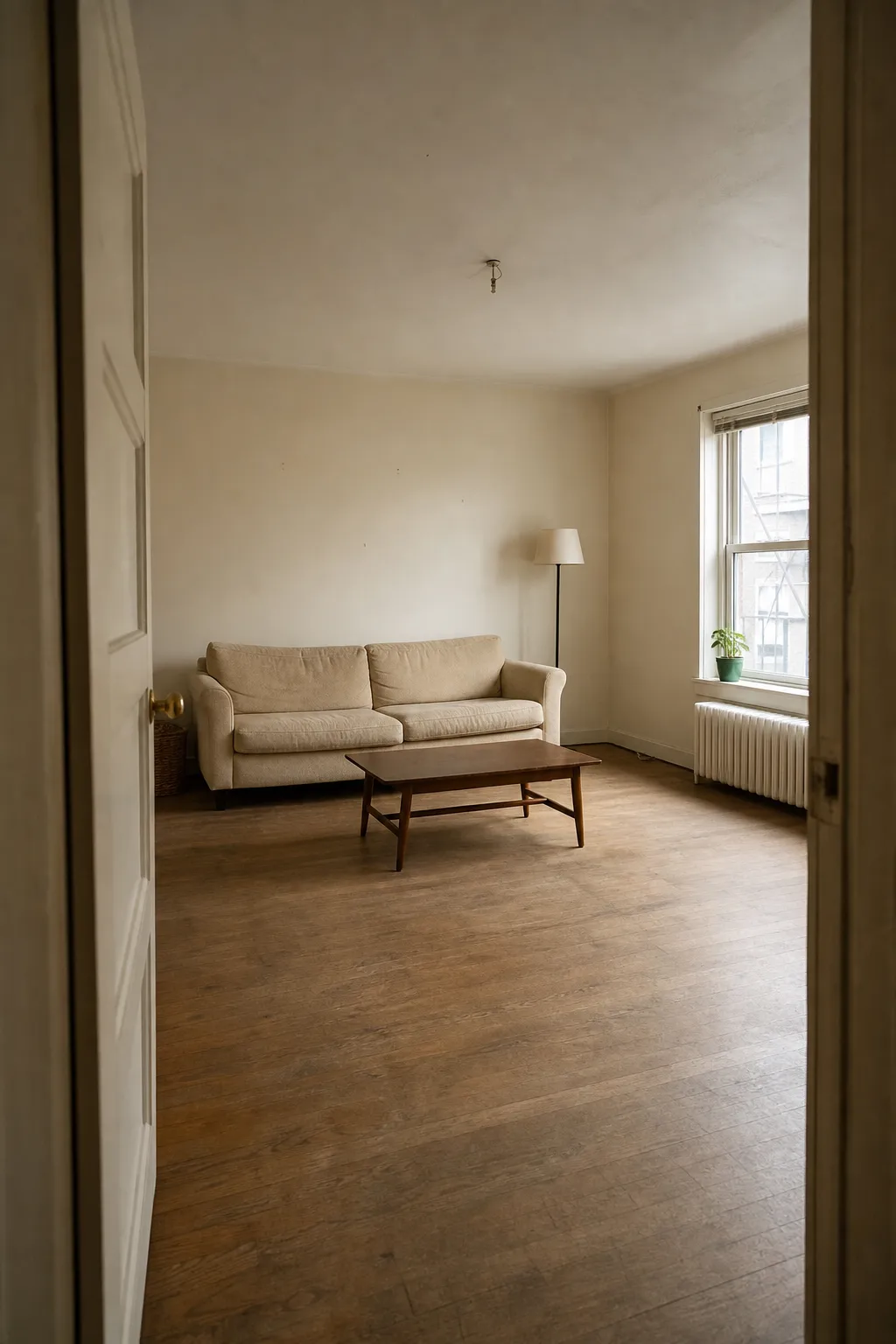
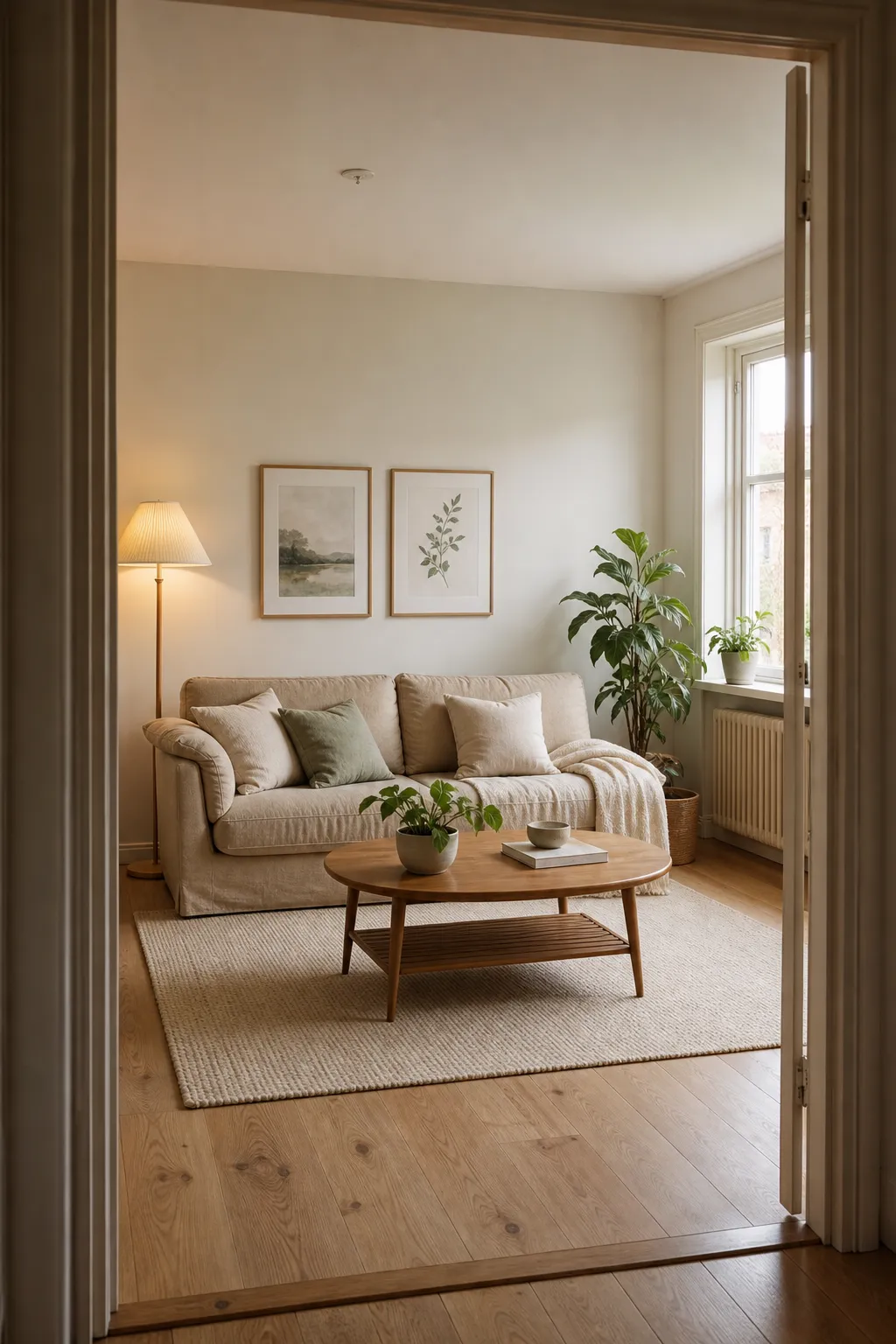
The bedroom test: one sample photo taken from the doorway in daylight, run once through Roomcast's free web preview with no retries on October 19, 2026. We checked whether the window, doors and large furniture stayed in place, how long the result took, and what it costs to remove the watermark. The living room pair is an earlier Roomcast example of the same kind. Both after images are Roomcast's real output; the before photos are sample rooms.
Bedroom, Japandi (Roomcast free web preview)
Before
After: Japandi
Living room, Scandinavian (Roomcast)
Before
After: Scandinavian
Next, we will run the same bedroom photo through the other apps in the table and publish each result here, including the ones where Roomcast does worse. Until then, the "Not tested yet" label stays.
How to choose
If you want your real room, recognizably
Check whether the app keeps windows, doors and large furniture where they are. Run your own photo and compare it side by side with the original: the number of styles matters less than whether the result still looks like your room.
If you want to change one thing
Look for object replacement, wall-color or text editing. DecAI and AI Remodel list these tools; Roomcast does not offer object-level editing yet and focuses on whole-room redesigns with two levels of change.
If you are staging a listing
Look for empty-room furnishing, commercial use terms and batch pricing. Interior AI, ReimagineHome and DecAI market staging features; Roomcast is built for redesigning a room you live in, not for staging portfolios.
If you hate surprise billing
Read the plan list before you start a trial. Many apps in this category list several weekly prices for the same product; compare the weekly price with the yearly one, and note when the trial converts. Cancel in your Apple Account at least 24 hours before a trial ends.
Test your own room first
The fairest comparison is your photo. Roomcast's first web preview is free, watermarked and needs no account.
Try my room freeFAQ
What is the best AI interior design app?
It depends on the job. For seeing your own room restyled with its layout kept, test Roomcast or another app with a structure-preserving mode on your own photo. For object-level edits, DecAI and AI Remodel list replace and remove tools. For listing staging, look at Interior AI or ReimagineHome. We make Roomcast, so run your own photo before deciding.
Which AI interior design apps are free?
Most are free to download and sell weekly or yearly subscriptions. Roomcast gives 1 watermarked web preview a month without an account, Planner 5D has a free plan with an account, and Spacely AI gives 40 trial credits after signup. Interior AI shows no free plan in its pricing section.
Did you test every app on this page?
No. As of October 19, 2026 we have run Roomcast on our test rooms; every other app is marked "Not tested yet", and its facts come from its own App Store listing or pricing page. We will add same-room results for other apps only after we have actually run them.
Head-to-head pages: Roomcast vs ReimagineHome, Roomcast vs Planner 5D, Interior AI alternative, Spacely AI alternative, or all comparisons.